Coming soonYour AI agent can attend meetings for you. See how →

Flonnect
Home
  • Screen Recorder
    Record your screen in up to 1080p
    Meeting Copilot
    AI-powered transcription & summaries
    Meeting Agent
    Invite the AI agent to any meeting
    Interactive Demo Capture
    Create interactive product demos
    Testimonials
    Collect and showcase testimonials
    Presentation Recorder
    Record slides with your camera
    Bug Reporting
    Report bugs with visual context
  • AI Video Generator
    AI Video Editor
    AI Animated Video Maker
    AI Text To Video
    AI Avatar Video
    AI Face Swap Video
    AI Short Video Creator
    AI Image Generator
    AI Photo Editor
    AI Art Generator
    AI Background Remover
    AI Ad Generator
    AI Social Media Post
    AI Thumbnail Generator
    AI Presentation Maker
  • Meeting Recording & Collaboration

    Google Meeting RecorderMicrosoft Teams RecordingZoom Meeting Recording

    Content Generation & Documentation

    Minutes of MeetingTranscription

    Screen & Camera Recording

    Screen RecordingScreen + Camera RecordingPresentation RecordingVideo PresentationCamera Recording

    Specialized Recording & Enhancement

    Annotation While RecordingStep RecorderHTML Interactive Demo RecordingSystem Audio RecordingMic RecordingMovable Camera

    Sharing & Integration

    Share Video with One ClickReact/Comments on VideosUpload Video to YouTubeAttach Video in Email

    Bug Reporting & Development Workflow

    Screenshot Bug ReportingVideo Bug RecordingPush to JiraBug CaptureAdd Video in Bitbucket/GitHub PR
    View all features →
  • Education & Learning
    5 use cases
    Business & Corporate
    5 use cases
    Marketing & Content
    5 use cases
    Freelance & Creative
    7 use cases
    Technology & Development
    5 use cases
    Gaming & Entertainment
    3 use cases
    Legal & Compliance
    4 use cases
    Healthcare & Wellness
    4 use cases
    Finance & Investment
    3 use cases
    Research & Science
    3 use cases
    Manufacturing & Industry
    3 use cases
    Real Estate & Property
    2 use cases
    Automotive & Transportation
    2 use cases
    Community & Public Service
    4 use cases
    View all resources →
BlogsPricing
  • Extract Audio
    Remove Meta Data
    Change Container
    Inspect Streams
    Trim / Split
    Subtitles
    Batch Processing
    File Compression
    Convert to HLS
    Thumbnail Generator
    Rotate / Flip Video
    Audio Converter

Use case

Screen Recorder for Truck Drivers & Delivery Personnel

Record route guides, safety procedures and incident reports with your screen, camera and voice, and share them with drivers and dispatch as a link.

Add to Chrome — it's freeSee use cases

Free forever plan · No credit card

How people use it

5 ways delivery teams use Flonnect

From route guides to incident reports, here is how drivers and fleet teams use video.
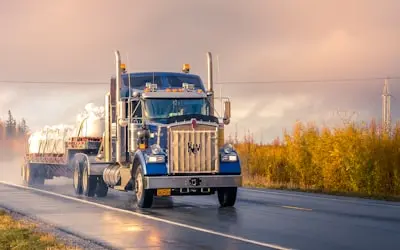
  1. Recording Delivery Routes & Navigation Guides01

    Recording Delivery Routes & Navigation Guides

    Record a walkthrough of a route on a map, with your voice explaining the tricky turns, low bridges and loading docks. New drivers can watch it before their first run. Useful for long-haul trucking, last-mile delivery and dispatch teams.

    Example
    A truck driver records a video guide on 'Best Truck Routes for Avoiding City Traffic', highlighting shortcuts and truck-friendly roads.

  2. Documenting Load Securement & Cargo Handling Best Practices02

    Documenting Load Securement & Cargo Handling Best Practices

    Show how to secure different kinds of cargo: straps, tie-downs, weight distribution and hazardous materials. A recorded demo gives every driver the same instructions and helps prevent shifting loads and damaged goods.

    Example
    A trucker records a tutorial on 'How to Secure a Heavy Load on a Flatbed Trailer', demonstrating strap tensioning and weight balancing.

  3. Capturing Safety Procedures & Emergency Response Training03

    Capturing Safety Procedures & Emergency Response Training

    Record pre-trip inspections, emergency braking guidance and the steps to report an accident. Drivers can rewatch the video before a shift, and fleet operators have one version of the procedure to point everyone to.

    Example
    A fleet manager records a training video on 'How to Conduct a Pre-Trip Inspection for Semi-Trucks', checking tires, brakes, lights, and fluid levels.

  4. Hosting & Recording Virtual Driver Training & Onboarding Sessions04

    Hosting & Recording Virtual Driver Training & Onboarding Sessions

    Run onboarding calls over Google Meet, Zoom or Microsoft Teams and record them, so drivers on different shifts can catch up later. Cover fuel-saving driving habits, defensive driving and how to deal with customers at the door.

    Example
    A delivery company records a video on 'How to Improve Fuel Efficiency While Driving Long Distances', teaching smooth acceleration and braking techniques.
  5. Capturing Proof of Delivery & Incident Reports05

    Capturing Proof of Delivery & Incident Reports

    Walk through a delivery issue or incident on video, showing photos, delivery-app screens and notes, and send the link to dispatch. A clear record makes it easier to settle disputes over damaged or missing goods.

    Example
    A driver records a short report showing the delivery-app confirmation and drop-off photos for a package the customer says never arrived.

FAQ

Questions, answered

Common questions from drivers and fleet managers about recording and sharing with Flonnect.

Open the route on a map, record your screen and talk through landmarks, traffic patterns, hazards and delivery points. Drivers can open the link on any device before they head out.

Show each technique slowly and up close, explain why the weight is distributed the way it is, and cover each cargo type separately. Keep safety rules front and center.

You can record and share safety training videos with Flonnect, such as pre-trip inspections and emergency procedures. Flonnect doesn't track certifications or training records, so keep those in your existing system and check your own regulatory requirements.

Show the delivery confirmation, location details and any photos of the drop-off or damage, and say what happened in your own words. Send the link to dispatch or download the MP4 for your records.

Yes. Record a short session on route planning, smooth acceleration and braking, and basic maintenance, using your own fuel reports as examples.

Record example scenarios, your delivery procedures and how to handle difficult situations, and include your company policies. Drivers can leave comments on the video with questions.

Record your next driver briefing

Record a route or safety walkthrough once and send the same link to every driver.

Open FlonnectSee pricing
Logo

One screen recorder for work, demos & meetings.

✔ Screen recording✔ Meeting recording✔ Interactive demos✔ AI video editing
Windows
macOS
Chrome
Logo

One screen recorder for work, demos & meetings.

  • ✔ Screen recording
  • ✔ Meeting recording
  • ✔ Interactive demos
  • ✔ AI video editing

Product

  • Screen Recorder
  • Meeting Recorder
  • Meeting Agent
  • Presentation Recorder
  • Bug Reporting
  • Interactive Demos
  • Transcription
  • Pricing

AI Tools

  • AI Video Generator
  • AI Video Editor
  • AI Presentation Maker
  • AI Image Generator
  • AI Thumbnail Generator
  • Text to Video

Use Cases

  • Business Teams
  • Education
  • Marketing
  • Developers & QA
  • Sales & Support
  • Content Creators

Company

  • About Us
  • How It Works
  • Downloads
  • Community
  • Changelog
  • Contact Us
  • Compare

Legal

  • Privacy Policy
  • Terms & Conditions
  • Refund Policy
  • Google API Disclosure

Media Tools

  • Extract Audio
  • Remove Meta Data
  • Change Container
  • Inspect Streams
  • Trim / Split
  • Subtitles
  • Batch Processing
  • File Compression
  • Convert to HLS
  • Thumbnail Generator
  • Rotate / Flip Video
  • Audio Converter
Download for Windows
Download for macOS
Chrome Extension

© 2026 Talky Media Private Limited. All rights reserved.

Privacy
Terms
Refunds