Coming soonYour AI agent can attend meetings for you. See how →

Flonnect
Home
  • Screen Recorder
    Record your screen in up to 1080p
    Meeting Copilot
    AI-powered transcription & summaries
    Meeting Agent
    Invite the AI agent to any meeting
    Interactive Demo Capture
    Create interactive product demos
    Testimonials
    Collect and showcase testimonials
    Presentation Recorder
    Record slides with your camera
    Bug Reporting
    Report bugs with visual context
  • AI Video Generator
    AI Video Editor
    AI Animated Video Maker
    AI Text To Video
    AI Avatar Video
    AI Face Swap Video
    AI Short Video Creator
    AI Image Generator
    AI Photo Editor
    AI Art Generator
    AI Background Remover
    AI Ad Generator
    AI Social Media Post
    AI Thumbnail Generator
    AI Presentation Maker
  • Meeting Recording & Collaboration

    Google Meeting RecorderMicrosoft Teams RecordingZoom Meeting Recording

    Content Generation & Documentation

    Minutes of MeetingTranscription

    Screen & Camera Recording

    Screen RecordingScreen + Camera RecordingPresentation RecordingVideo PresentationCamera Recording

    Specialized Recording & Enhancement

    Annotation While RecordingStep RecorderHTML Interactive Demo RecordingSystem Audio RecordingMic RecordingMovable Camera

    Sharing & Integration

    Share Video with One ClickReact/Comments on VideosUpload Video to YouTubeAttach Video in Email

    Bug Reporting & Development Workflow

    Screenshot Bug ReportingVideo Bug RecordingPush to JiraBug CaptureAdd Video in Bitbucket/GitHub PR
    View all features →
  • Education & Learning
    5 use cases
    Business & Corporate
    5 use cases
    Marketing & Content
    5 use cases
    Freelance & Creative
    7 use cases
    Technology & Development
    5 use cases
    Gaming & Entertainment
    3 use cases
    Legal & Compliance
    4 use cases
    Healthcare & Wellness
    4 use cases
    Finance & Investment
    3 use cases
    Research & Science
    3 use cases
    Manufacturing & Industry
    3 use cases
    Real Estate & Property
    2 use cases
    Automotive & Transportation
    2 use cases
    Community & Public Service
    4 use cases
    View all resources →
BlogsPricing
  • Extract Audio
    Remove Meta Data
    Change Container
    Inspect Streams
    Trim / Split
    Subtitles
    Batch Processing
    File Compression
    Convert to HLS
    Thumbnail Generator
    Rotate / Flip Video
    Audio Converter

Use case

Screen Recorder for Financial Advisors

Record market updates, plan walkthroughs and client webinars with your charts, camera and voice, and send clients a link they can watch anytime.

Add to Chrome — it's freeSee use cases

Free forever plan · No credit card

How people use it

5 ways financial advisors use Flonnect

From market updates to client plan walkthroughs, here is how advisors use video.
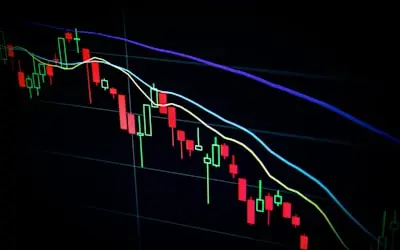
  1. Recording Investment Guides & Market Analysis Videos01

    Recording Investment Guides & Market Analysis Videos

    Record market updates and investment explainers with your charts on screen and your camera in the corner. Walk clients through trends, diversification and risk in plain terms. Useful for both new and experienced investors.

    Example
    A financial advisor records a weekly market update video, explaining how Federal Reserve decisions impact stock prices.
  2. Creating Personalized Financial Planning & Wealth Management Videos02

    Creating Personalized Financial Planning & Wealth Management Videos

    Record a walkthrough of a client's plan, covering savings, retirement and tax-efficient investing, with the allocation charts on screen. The client can rewatch it before your next meeting and reply with comments.

    Example
    A financial planner records a video explaining a 10-year investment roadmap for a client, showing recommended asset allocations and tax-saving strategies.
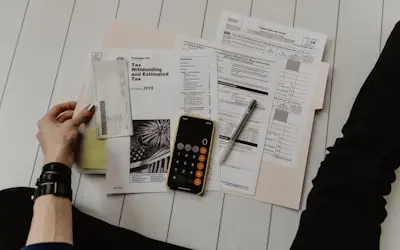
  3. Recording Budgeting & Money Management Tutorials03

    Recording Budgeting & Money Management Tutorials

    Record budgeting and money-management tutorials that show the actual spreadsheet or calculator you use. Clients see each step and can follow along at home.

    Example
    A financial coach records a tutorial on 'How to Build a Zero-Based Budget', working through a sample household budget in a spreadsheet.

  4. Hosting & Recording Webinars on Wealth-Building Strategies04

    Hosting & Recording Webinars on Wealth-Building Strategies

    Record financial education webinars held on Google Meet, Zoom or Microsoft Teams, including the Q&A. Send the replay to clients and prospects who registered but couldn't join.

    Example
    A financial consultant records a webinar on 'How to Retire Early with Smart Investments', explaining index funds, passive income, and compounding.
  5. Creating Online Finance Courses & Subscription Content05

    Creating Online Finance Courses & Subscription Content

    Record a series of lessons on investing basics, tax planning or financial independence. Edit them in the AI editor and download the MP4s to sell on platforms like Udemy, Teachable or Patreon.

    Example
    A wealth strategist creates an online course on 'Mastering Stock Market Investing', covering fundamental and technical analysis techniques.

FAQ

Questions, answered

Common questions from financial advisors about recording and sharing with Flonnect.

Video lets clients hear you explain things in your own words, which makes complex topics easier to follow. Short explainers and recorded plan walkthroughs show how you work before someone becomes a client.

Flonnect doesn't provide approval workflows, disclosure management or regulatory archiving. Run your videos through your firm's usual compliance review and follow FINRA, SEC or local rules that apply to you. You can download every recording as MP4 for your own records.

Yes. Record your screen with the client's portfolio, retirement projections or charts, add your camera and voice, and send the client a link. You can draw on screen while recording to point things out.

Record common explanations once and send them to every client who asks. Recorded webinars and short explainers also work as introductions for new prospects.

Record your charting tools with your voice, draw on screen to highlight trends, and use click highlighting so viewers can follow along. Every recording comes with a transcript.

Run the seminar in Google Meet, Zoom or Microsoft Teams and record it with Flonnect. You get the recording, a transcript and AI minutes to share with attendees afterwards.

Record your next client update

Record your charts and explanation once, then send each client the link.

Add to Chrome — it's freeSee use cases
Logo

One screen recorder for work, demos & meetings.

✔ Screen recording✔ Meeting recording✔ Interactive demos✔ AI video editing
Windows
macOS
Chrome
Logo

One screen recorder for work, demos & meetings.

  • ✔ Screen recording
  • ✔ Meeting recording
  • ✔ Interactive demos
  • ✔ AI video editing

Product

  • Screen Recorder
  • Meeting Recorder
  • Meeting Agent
  • Presentation Recorder
  • Bug Reporting
  • Interactive Demos
  • Transcription
  • Pricing

AI Tools

  • AI Video Generator
  • AI Video Editor
  • AI Presentation Maker
  • AI Image Generator
  • AI Thumbnail Generator
  • Text to Video

Use Cases

  • Business Teams
  • Education
  • Marketing
  • Developers & QA
  • Sales & Support
  • Content Creators

Company

  • About Us
  • How It Works
  • Downloads
  • Community
  • Changelog
  • Contact Us
  • Compare

Legal

  • Privacy Policy
  • Terms & Conditions
  • Refund Policy
  • Google API Disclosure

Media Tools

  • Extract Audio
  • Remove Meta Data
  • Change Container
  • Inspect Streams
  • Trim / Split
  • Subtitles
  • Batch Processing
  • File Compression
  • Convert to HLS
  • Thumbnail Generator
  • Rotate / Flip Video
  • Audio Converter
Download for Windows
Download for macOS
Chrome Extension

© 2026 Talky Media Private Limited. All rights reserved.

Privacy
Terms
Refunds