Coming soonYour AI agent can attend meetings for you. See how →

Flonnect
Home
  • Screen Recorder
    Record your screen in up to 1080p
    Meeting Copilot
    AI-powered transcription & summaries
    Meeting Agent
    Invite the AI agent to any meeting
    Interactive Demo Capture
    Create interactive product demos
    Testimonials
    Collect and showcase testimonials
    Presentation Recorder
    Record slides with your camera
    Bug Reporting
    Report bugs with visual context
  • AI Video Generator
    AI Video Editor
    AI Animated Video Maker
    AI Text To Video
    AI Avatar Video
    AI Face Swap Video
    AI Short Video Creator
    AI Image Generator
    AI Photo Editor
    AI Art Generator
    AI Background Remover
    AI Ad Generator
    AI Social Media Post
    AI Thumbnail Generator
    AI Presentation Maker
  • Meeting Recording & Collaboration

    Google Meeting RecorderMicrosoft Teams RecordingZoom Meeting Recording

    Content Generation & Documentation

    Minutes of MeetingTranscription

    Screen & Camera Recording

    Screen RecordingScreen + Camera RecordingPresentation RecordingVideo PresentationCamera Recording

    Specialized Recording & Enhancement

    Annotation While RecordingStep RecorderHTML Interactive Demo RecordingSystem Audio RecordingMic RecordingMovable Camera

    Sharing & Integration

    Share Video with One ClickReact/Comments on VideosUpload Video to YouTubeAttach Video in Email

    Bug Reporting & Development Workflow

    Screenshot Bug ReportingVideo Bug RecordingPush to JiraBug CaptureAdd Video in Bitbucket/GitHub PR
    View all features →
  • Education & Learning
    5 use cases
    Business & Corporate
    5 use cases
    Marketing & Content
    5 use cases
    Freelance & Creative
    7 use cases
    Technology & Development
    5 use cases
    Gaming & Entertainment
    3 use cases
    Legal & Compliance
    4 use cases
    Healthcare & Wellness
    4 use cases
    Finance & Investment
    3 use cases
    Research & Science
    3 use cases
    Manufacturing & Industry
    3 use cases
    Real Estate & Property
    2 use cases
    Automotive & Transportation
    2 use cases
    Community & Public Service
    4 use cases
    View all resources →
BlogsPricing
  • Extract Audio
    Remove Meta Data
    Change Container
    Inspect Streams
    Trim / Split
    Subtitles
    Batch Processing
    File Compression
    Convert to HLS
    Thumbnail Generator
    Rotate / Flip Video
    Audio Converter

Use case

Screen Recorder for Stock Traders & Analysts

Record chart analysis, strategy tutorials and trade reviews with your charts, drawings and voice, then share them as a link or upload to YouTube.

Add to Chrome — it's freeSee use cases

Free forever plan · No credit card

How people use it

5 ways traders and analysts use Flonnect

From daily market updates to trading courses, here is how traders and analysts use screen recording.
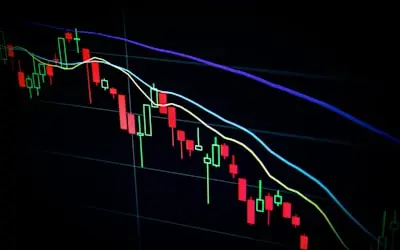
  1. Recording Live Market Analysis & Trend Reports01

    Recording Live Market Analysis & Trend Reports

    Record your market analysis with your charting platform on screen and your voice explaining the moves. Cover chart patterns, economic data and news, and share the video with your audience or clients.

    Example
    A trading analyst records a daily market update video, explaining how inflation data affects stock performance.
  2. Creating Trading Strategy & Technical Analysis Tutorials02

    Creating Trading Strategy & Technical Analysis Tutorials

    Record step-by-step strategy tutorials on chart reading, price action and risk management. Draw on screen to mark levels, patterns and indicators as you talk through them. Useful for a YouTube channel, a course or a trading community.

    Example
    A trader records a tutorial on 'How to Use RSI & MACD for Swing Trading', showing live chart examples and entry-exit points.
  3. Recording Trade Recaps & Performance Reviews03

    Recording Trade Recaps & Performance Reviews

    Record your trade reviews to look back at what you saw and why you acted. Rewatching your own reasoning helps you spot mistakes and refine your approach, and the recordings are useful when mentoring other traders.

    Example
    A day trader records a trade recap of the week, breaking down successful and failed trades with key insights.
  4. Hosting & Recording Webinars on Market Insights & Investment Strategies04

    Hosting & Recording Webinars on Market Insights & Investment Strategies

    Record webinars on stock picking, diversification and market outlook held on Google Meet, Zoom or Microsoft Teams. Share the replay with a transcript for people who couldn't attend.

    Example
    A market strategist records a webinar on 'How to Build a Recession-Proof Portfolio', explaining defensive stocks and hedging strategies.
  5. Creating Online Trading Courses & Subscription-Based Content05

    Creating Online Trading Courses & Subscription-Based Content

    Record structured lessons on trading psychology, options and risk-reward management. Edit them in the AI editor and download the MP4s for platforms like Udemy or Teachable, or your own community.

    Example
    A technical analyst creates a course on 'Mastering Price Action Trading', covering trend reversals, market structure, and entry-exit techniques.

FAQ

Questions, answered

Common questions from stock traders and analysts about recording and sharing with Flonnect.

Posting analysis on a regular schedule gives people a reason to come back. Record your daily or weekly update, trim it, and upload it to YouTube straight from Flonnect.

Record your charting platform at up to 1080p with your microphone, and use on-screen drawing and click highlighting to show exactly what you mean. Keep each video to one idea.

Flonnect doesn't host courses or handle payments, but you can record and edit lessons and download them as MP4 to sell on a course platform or share with paying members.

Record a walkthrough of each trade on the chart: your entry reasoning, the exit and what you'd change. Flonnect doesn't track performance, so keep your numbers in your trading journal and use the video for the reasoning.

Flonnect records; it doesn't live-stream. Run live sessions in Google Meet, Zoom or Microsoft Teams, record them with Flonnect, and share the replay with a transcript.

Only share the link with the people you choose, and trim out anything you'd rather keep private before sharing.

Record your next market update

Record your charts with your voice, draw on the key levels, and share the link.

Add to Chrome — it's freeSee use cases
Logo

One screen recorder for work, demos & meetings.

✔ Screen recording✔ Meeting recording✔ Interactive demos✔ AI video editing
Windows
macOS
Chrome
Logo

One screen recorder for work, demos & meetings.

  • ✔ Screen recording
  • ✔ Meeting recording
  • ✔ Interactive demos
  • ✔ AI video editing

Product

  • Screen Recorder
  • Meeting Recorder
  • Meeting Agent
  • Presentation Recorder
  • Bug Reporting
  • Interactive Demos
  • Transcription
  • Pricing

AI Tools

  • AI Video Generator
  • AI Video Editor
  • AI Presentation Maker
  • AI Image Generator
  • AI Thumbnail Generator
  • Text to Video

Use Cases

  • Business Teams
  • Education
  • Marketing
  • Developers & QA
  • Sales & Support
  • Content Creators

Company

  • About Us
  • How It Works
  • Downloads
  • Community
  • Changelog
  • Contact Us
  • Compare

Legal

  • Privacy Policy
  • Terms & Conditions
  • Refund Policy
  • Google API Disclosure

Media Tools

  • Extract Audio
  • Remove Meta Data
  • Change Container
  • Inspect Streams
  • Trim / Split
  • Subtitles
  • Batch Processing
  • File Compression
  • Convert to HLS
  • Thumbnail Generator
  • Rotate / Flip Video
  • Audio Converter
Download for Windows
Download for macOS
Chrome Extension

© 2026 Talky Media Private Limited. All rights reserved.

Privacy
Terms
Refunds