Coming soonYour AI agent can attend meetings for you. See how →

Flonnect
Home
  • Screen Recorder
    Record your screen in up to 1080p
    Meeting Copilot
    AI-powered transcription & summaries
    Meeting Agent
    Invite the AI agent to any meeting
    Interactive Demo Capture
    Create interactive product demos
    Testimonials
    Collect and showcase testimonials
    Presentation Recorder
    Record slides with your camera
    Bug Reporting
    Report bugs with visual context
  • AI Video Generator
    AI Video Editor
    AI Animated Video Maker
    AI Text To Video
    AI Avatar Video
    AI Face Swap Video
    AI Short Video Creator
    AI Image Generator
    AI Photo Editor
    AI Art Generator
    AI Background Remover
    AI Ad Generator
    AI Social Media Post
    AI Thumbnail Generator
    AI Presentation Maker
  • Meeting Recording & Collaboration

    Google Meeting RecorderMicrosoft Teams RecordingZoom Meeting Recording

    Content Generation & Documentation

    Minutes of MeetingTranscription

    Screen & Camera Recording

    Screen RecordingScreen + Camera RecordingPresentation RecordingVideo PresentationCamera Recording

    Specialized Recording & Enhancement

    Annotation While RecordingStep RecorderHTML Interactive Demo RecordingSystem Audio RecordingMic RecordingMovable Camera

    Sharing & Integration

    Share Video with One ClickReact/Comments on VideosUpload Video to YouTubeAttach Video in Email

    Bug Reporting & Development Workflow

    Screenshot Bug ReportingVideo Bug RecordingPush to JiraBug CaptureAdd Video in Bitbucket/GitHub PR
    View all features →
  • Education & Learning
    5 use cases
    Business & Corporate
    5 use cases
    Marketing & Content
    5 use cases
    Freelance & Creative
    7 use cases
    Technology & Development
    5 use cases
    Gaming & Entertainment
    3 use cases
    Legal & Compliance
    4 use cases
    Healthcare & Wellness
    4 use cases
    Finance & Investment
    3 use cases
    Research & Science
    3 use cases
    Manufacturing & Industry
    3 use cases
    Real Estate & Property
    2 use cases
    Automotive & Transportation
    2 use cases
    Community & Public Service
    4 use cases
    View all resources →
BlogsPricing
  • Extract Audio
    Remove Meta Data
    Change Container
    Inspect Streams
    Trim / Split
    Subtitles
    Batch Processing
    File Compression
    Convert to HLS
    Thumbnail Generator
    Rotate / Flip Video
    Audio Converter

Use case

Screen Recorder for Dancers & Performers

Record tutorials, practice sessions and lessons with your webcam, add your voice, and send students a link they can replay as often as they need.

Add to Chrome — it's freeSee use cases

Free forever plan · No credit card

How people use it

5 ways dancers and performers use Flonnect

Tutorials, practice reviews and online lessons recorded on your computer's camera.
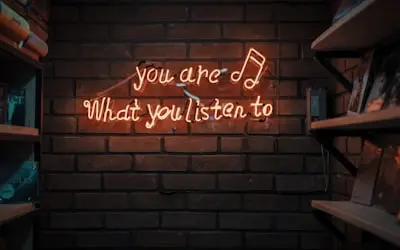
  1. Creating Dance Instructional & Tutorial Videos01

    Creating Dance Instructional & Tutorial Videos

    Dancers can record step-by-step dance tutorials for beginners, intermediate, and advanced learners. Helps students learn choreography at their own pace. Can include slow-motion breakdowns, counts, and movement explanations. Useful for teaching styles like ballet, hip-hop, salsa, contemporary, and more.

    Example
    A hip-hop dancer records a tutorial on 'How to Master the Moonwalk', breaking down foot placement and movement techniques.
  2. Recording Practice Sessions for Self-Improvement02

    Recording Practice Sessions for Self-Improvement

    Dancers can record practice routines to analyze technique, posture, and rhythm. Helps in correcting mistakes, refining movements, and tracking progress. Can be used for self-evaluation or shared with mentors for feedback. Useful for preparing for competitions, performances, and auditions.

    Example
    A ballet dancer records a pirouette practice session, reviewing balance and spotting techniques for improvement.
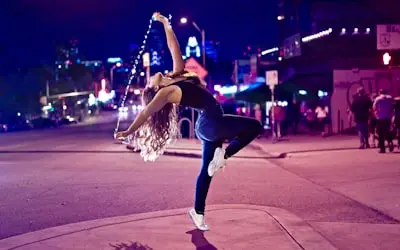
  3. Recording & Sharing Performance Videos03

    Recording & Sharing Performance Videos

    Record performances to share with a wider audience. Useful for building an online presence, festival submissions and portfolio reels. Can include stage performances, freestyles, dance battles and collaborations.

    Example
    A contemporary dance group records a stage performance, uploading it on YouTube to attract potential show invitations.
  4. Creating Social Media Dance Content for Engagement04

    Creating Social Media Dance Content for Engagement

    Record short dance clips for TikTok, Instagram and YouTube Shorts. Join trends and challenges, share behind-the-scenes clips and preview new choreography. Short clips help you find followers and collaborators. Use auto reframe in the AI editor to turn a landscape recording into vertical video.

    Example
    A TikTok dancer records a 15-second dance challenge with trending music and hashtags.

  5. Producing Online Dance Courses & Monetizing Lessons05

    Producing Online Dance Courses & Monetizing Lessons

    Record structured online courses that teach dance technique. Sell classes on Udemy, Teachable or your own website. Include warm-ups, choreography lessons and performance tips.

    Example
    A salsa instructor records a full beginner course on salsa basics and sells it as a paid program.

FAQ

Questions, answered

Common questions from dancers and performers about recording and sharing with Flonnect.

Make sure your whole body is in frame and the room is well lit. Flonnect records your webcam or an external camera connected to your computer, with your mic or system audio.

Record your clip, trim it, and use auto reframe in the AI editor to get a vertical version. You can add captions too. Download the MP4 and post it to TikTok, Instagram Reels or YouTube Shorts.

Yes. Record your practice and watch it back to check posture, timing and technique. Share the link with your teacher, who can leave comments on the video.

Flonnect records and edits your lessons. Sell them through a course platform such as Udemy or Teachable, or your own website.

Record with your webcam and microphone, trim the result and share a link or download an MP4. For multi-camera productions or live streams, use dedicated video gear; Flonnect is built for recording from a computer.

Yes. Share recordings by link and collaborators can comment on the video. Each dancer records their part, and you can combine clips in the AI editor's multi-track timeline.

Record your next dance lesson

Set up your laptop, record with your webcam and mic, and share the lesson as a link or MP4.

Add to Chrome — it's freeSee use cases
Logo

One screen recorder for work, demos & meetings.

✔ Screen recording✔ Meeting recording✔ Interactive demos✔ AI video editing
Windows
macOS
Chrome
Logo

One screen recorder for work, demos & meetings.

  • ✔ Screen recording
  • ✔ Meeting recording
  • ✔ Interactive demos
  • ✔ AI video editing

Product

  • Screen Recorder
  • Meeting Recorder
  • Meeting Agent
  • Presentation Recorder
  • Bug Reporting
  • Interactive Demos
  • Transcription
  • Pricing

AI Tools

  • AI Video Generator
  • AI Video Editor
  • AI Presentation Maker
  • AI Image Generator
  • AI Thumbnail Generator
  • Text to Video

Use Cases

  • Business Teams
  • Education
  • Marketing
  • Developers & QA
  • Sales & Support
  • Content Creators

Company

  • About Us
  • How It Works
  • Downloads
  • Community
  • Changelog
  • Contact Us
  • Compare

Legal

  • Privacy Policy
  • Terms & Conditions
  • Refund Policy
  • Google API Disclosure

Media Tools

  • Extract Audio
  • Remove Meta Data
  • Change Container
  • Inspect Streams
  • Trim / Split
  • Subtitles
  • Batch Processing
  • File Compression
  • Convert to HLS
  • Thumbnail Generator
  • Rotate / Flip Video
  • Audio Converter
Download for Windows
Download for macOS
Chrome Extension

© 2026 Talky Media Private Limited. All rights reserved.

Privacy
Terms
Refunds