Coming soonYour AI agent can attend meetings for you. See how →

Flonnect
Home
  • Screen Recorder
    Record your screen in up to 1080p
    Meeting Copilot
    AI-powered transcription & summaries
    Meeting Agent
    Invite the AI agent to any meeting
    Interactive Demo Capture
    Create interactive product demos
    Testimonials
    Collect and showcase testimonials
    Presentation Recorder
    Record slides with your camera
    Bug Reporting
    Report bugs with visual context
  • AI Video Generator
    AI Video Editor
    AI Animated Video Maker
    AI Text To Video
    AI Avatar Video
    AI Face Swap Video
    AI Short Video Creator
    AI Image Generator
    AI Photo Editor
    AI Art Generator
    AI Background Remover
    AI Ad Generator
    AI Social Media Post
    AI Thumbnail Generator
    AI Presentation Maker
  • Meeting Recording & Collaboration

    Google Meeting RecorderMicrosoft Teams RecordingZoom Meeting Recording

    Content Generation & Documentation

    Minutes of MeetingTranscription

    Screen & Camera Recording

    Screen RecordingScreen + Camera RecordingPresentation RecordingVideo PresentationCamera Recording

    Specialized Recording & Enhancement

    Annotation While RecordingStep RecorderHTML Interactive Demo RecordingSystem Audio RecordingMic RecordingMovable Camera

    Sharing & Integration

    Share Video with One ClickReact/Comments on VideosUpload Video to YouTubeAttach Video in Email

    Bug Reporting & Development Workflow

    Screenshot Bug ReportingVideo Bug RecordingPush to JiraBug CaptureAdd Video in Bitbucket/GitHub PR
    View all features →
  • Education & Learning
    5 use cases
    Business & Corporate
    5 use cases
    Marketing & Content
    5 use cases
    Freelance & Creative
    7 use cases
    Technology & Development
    5 use cases
    Gaming & Entertainment
    3 use cases
    Legal & Compliance
    4 use cases
    Healthcare & Wellness
    4 use cases
    Finance & Investment
    3 use cases
    Research & Science
    3 use cases
    Manufacturing & Industry
    3 use cases
    Real Estate & Property
    2 use cases
    Automotive & Transportation
    2 use cases
    Community & Public Service
    4 use cases
    View all resources →
BlogsPricing
  • Extract Audio
    Remove Meta Data
    Change Container
    Inspect Streams
    Trim / Split
    Subtitles
    Batch Processing
    File Compression
    Convert to HLS
    Thumbnail Generator
    Rotate / Flip Video
    Audio Converter

Use case

Screen Recorder for Property Managers

Record maintenance how-tos, unit tours and tenant onboarding videos, and share each one as a link. Tenants and contractors see what you mean without another phone call.

Add to Chrome — it's freeSee use cases

Free forever plan · No credit card

How people use it

5 ways property managers use Flonnect

From maintenance how-tos to move-out inspections, here is how property managers use video to answer questions once.

  1. Recording Maintenance Walkthroughs & Repair Guides01

    Recording Maintenance Walkthroughs & Repair Guides

    Record short how-to videos for the fixes tenants can handle themselves, so they can try them before submitting a request. Film the task on your phone, bring the clip into the AI editor to trim it and add captions, and share it as a link. Good topics: resetting a breaker, replacing an HVAC filter, clearing a garbage disposal, and what to do in an emergency.

    Example
    A property manager records a video on resetting a tripped circuit breaker and sends the link to tenants who report a power outage in one room.
  2. Creating Virtual Rental Property Tours & Move-In Guides02

    Creating Virtual Rental Property Tours & Move-In Guides

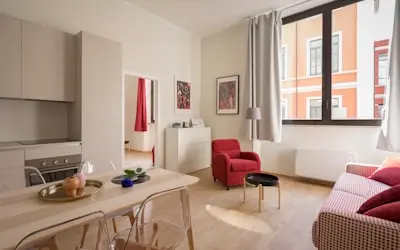
    Put together a video tour of an available unit from your own footage and photos, and add narration about the lease terms, amenities and neighbourhood. Share one link with every applicant so they can see the unit before booking a showing.

    Example
    A property manager shares a narrated video tour of a vacant apartment, pointing out the smart lock, gym access and pet policy.
  3. Documenting Property Inspections & Move-Out Evaluations03

    Documenting Property Inspections & Move-Out Evaluations

    Keep a video record of a unit's condition at move-in and move-out, with your narration describing what you see. Store it with the lease file so you have something to refer to when a deposit deduction is questioned.

    Example
    A property manager records a move-out inspection, noting wall damage and a missing appliance before calculating the deposit refund.
  4. Hosting & Recording Tenant Orientation & Lease Agreement Videos04

    Hosting & Recording Tenant Orientation & Lease Agreement Videos

    Record a screen walkthrough of the lease, the tenant portal and how to pay rent online, with your webcam on. New tenants get the same explanation every time, and they can rewatch it instead of calling the office.

    Example
    A property manager records a welcome video covering rent due dates, trash collection and parking rules, and sends it with every signed lease.

  5. Capturing Vendor & Contractor Coordination for Repairs05

    Capturing Vendor & Contractor Coordination for Repairs

    Send contractors a video of the problem instead of a vague description. They can see the issue before they visit, ask questions in the video comments, and bring the right parts.

    Example
    A property manager sends a plumber a video of a leaking pipe under a tenant's sink and gets an estimate before the visit.

FAQ

Questions, answered

Common questions from property managers about recording and sharing with Flonnect.

Pick the issues tenants ask about most, such as breakers, garbage disposals and HVAC filters. Show each step clearly, say when it's not safe to continue, and say when to call maintenance instead.

Film in good daylight, walk through the unit in a logical order, and narrate what each room offers. You can add captions in the AI editor and share the tour as a single link.

Record a slow walkthrough of every room with narration, and get close to fixtures, floors and appliances. Save the recording with the date and unit number so you can find it later.

Yes. Record the issue and send the link. The contractor sees exactly what's wrong and can reply with questions in the video comments.

Record a welcome video covering lease terms, house rules, how to request maintenance and local amenities. Every tenant gets the same information, and you answer fewer repeat questions.

A dated video of a unit's condition can support your records, but whether it is accepted as evidence depends on your local laws. Follow local rules on recording and on notifying tenants.

Record your first tenant how-to

Install the free extension and record a short video answering the question tenants ask you most often.

Add to Chrome — it's freeSee use cases
Logo

One screen recorder for work, demos & meetings.

✔ Screen recording✔ Meeting recording✔ Interactive demos✔ AI video editing
Windows
macOS
Chrome
Logo

One screen recorder for work, demos & meetings.

  • ✔ Screen recording
  • ✔ Meeting recording
  • ✔ Interactive demos
  • ✔ AI video editing

Product

  • Screen Recorder
  • Meeting Recorder
  • Meeting Agent
  • Presentation Recorder
  • Bug Reporting
  • Interactive Demos
  • Transcription
  • Pricing

AI Tools

  • AI Video Generator
  • AI Video Editor
  • AI Presentation Maker
  • AI Image Generator
  • AI Thumbnail Generator
  • Text to Video

Use Cases

  • Business Teams
  • Education
  • Marketing
  • Developers & QA
  • Sales & Support
  • Content Creators

Company

  • About Us
  • How It Works
  • Downloads
  • Community
  • Changelog
  • Contact Us
  • Compare

Legal

  • Privacy Policy
  • Terms & Conditions
  • Refund Policy
  • Google API Disclosure

Media Tools

  • Extract Audio
  • Remove Meta Data
  • Change Container
  • Inspect Streams
  • Trim / Split
  • Subtitles
  • Batch Processing
  • File Compression
  • Convert to HLS
  • Thumbnail Generator
  • Rotate / Flip Video
  • Audio Converter
Download for Windows
Download for macOS
Chrome Extension

© 2026 Talky Media Private Limited. All rights reserved.

Privacy
Terms
Refunds