Coming soonYour AI agent can attend meetings for you. See how →

Flonnect
Home
  • Screen Recorder
    Record your screen in up to 1080p
    Meeting Copilot
    AI-powered transcription & summaries
    Meeting Agent
    Invite the AI agent to any meeting
    Interactive Demo Capture
    Create interactive product demos
    Testimonials
    Collect and showcase testimonials
    Presentation Recorder
    Record slides with your camera
    Bug Reporting
    Report bugs with visual context
  • AI Video Generator
    AI Video Editor
    AI Animated Video Maker
    AI Text To Video
    AI Avatar Video
    AI Face Swap Video
    AI Short Video Creator
    AI Image Generator
    AI Photo Editor
    AI Art Generator
    AI Background Remover
    AI Ad Generator
    AI Social Media Post
    AI Thumbnail Generator
    AI Presentation Maker
  • Meeting Recording & Collaboration

    Google Meeting RecorderMicrosoft Teams RecordingZoom Meeting Recording

    Content Generation & Documentation

    Minutes of MeetingTranscription

    Screen & Camera Recording

    Screen RecordingScreen + Camera RecordingPresentation RecordingVideo PresentationCamera Recording

    Specialized Recording & Enhancement

    Annotation While RecordingStep RecorderHTML Interactive Demo RecordingSystem Audio RecordingMic RecordingMovable Camera

    Sharing & Integration

    Share Video with One ClickReact/Comments on VideosUpload Video to YouTubeAttach Video in Email

    Bug Reporting & Development Workflow

    Screenshot Bug ReportingVideo Bug RecordingPush to JiraBug CaptureAdd Video in Bitbucket/GitHub PR
    View all features →
  • Education & Learning
    5 use cases
    Business & Corporate
    5 use cases
    Marketing & Content
    5 use cases
    Freelance & Creative
    7 use cases
    Technology & Development
    5 use cases
    Gaming & Entertainment
    3 use cases
    Legal & Compliance
    4 use cases
    Healthcare & Wellness
    4 use cases
    Finance & Investment
    3 use cases
    Research & Science
    3 use cases
    Manufacturing & Industry
    3 use cases
    Real Estate & Property
    2 use cases
    Automotive & Transportation
    2 use cases
    Community & Public Service
    4 use cases
    View all resources →
BlogsPricing
  • Extract Audio
    Remove Meta Data
    Change Container
    Inspect Streams
    Trim / Split
    Subtitles
    Batch Processing
    File Compression
    Convert to HLS
    Thumbnail Generator
    Rotate / Flip Video
    Audio Converter

Use case

Screen Recorder for Real Estate Agents

Send buyers narrated property tours, walk clients through market analyses on screen, and record your buyer webinars. Every video is a link you can text or email.

Add to Chrome — it's freeSee use cases

Free forever plan · No credit card

How people use it

5 ways real estate agents use Flonnect

From property tours to inspection walkthroughs, here is how agents use video to keep clients informed.

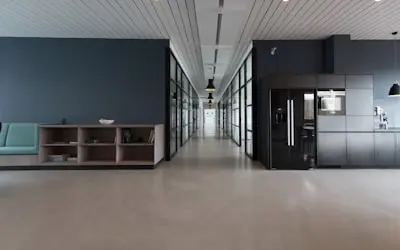
  1. Recording Virtual Property Tours & Walkthroughs01

    Recording Virtual Property Tours & Walkthroughs

    Combine your own walkthrough footage and listing photos into a narrated tour, so remote buyers can see the home before they book a viewing. Talk through each room as you would in person and share the tour as one link. Useful for out-of-town buyers, rentals and busy clients.

    Example
    A real estate agent sends an out-of-state buyer a narrated video tour of a beachfront villa, pointing out the ocean views and smart home features.
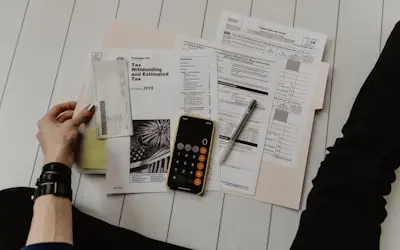
  2. Creating Client Presentations & Investment Guides02

    Creating Client Presentations & Investment Guides

    Record your screen while you walk a client through a comparative market analysis, financing options or a neighbourhood's recent sales, with your webcam bubble on. Clients can rewatch it when they discuss the decision at home.

    Example
    A real estate agent records a walkthrough of recent downtown condo sales and price trends for an investor client.
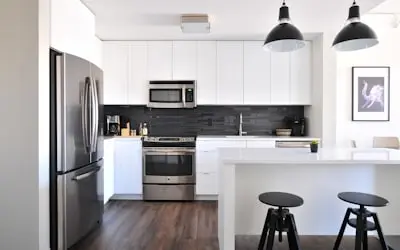
  3. Hosting & Recording Live Q&A Sessions & Webinars03

    Hosting & Recording Live Q&A Sessions & Webinars

    Run a buyer Q&A or seminar over Google Meet, Zoom or Microsoft Teams and record it. Invite a mortgage lender or inspector as a guest, then share the recording and AI meeting notes with everyone who registered.

    Example
    A real estate broker records a webinar on home buying for first-time buyers and sends the replay to attendees.
  4. Documenting Before & After Home Staging & Renovation Projects04

    Documenting Before & After Home Staging & Renovation Projects

    Show sellers what staging or small updates change by putting before and after footage side by side. Narrate what was done and what it cost, so sellers can decide what's worth doing before listing.

    Example
    A real estate agent shows a seller a before-and-after video of a neighbour's renovated kitchen to explain which updates buyers noticed.
  5. Capturing & Reviewing Property Inspections & Legal Disclosures05

    Capturing & Reviewing Property Inspections & Legal Disclosures

    Record your screen while you go through an inspection report or disclosure document with a client, explaining each item in plain language. The client can rewatch it before signing.

    Example
    A real estate agent records a walkthrough of the inspection report, highlighting the minor fixes needed before the home goes on the market.

FAQ

Questions, answered

Common questions from real estate agents about recording and sharing with Flonnect.

Film in good light, move slowly, and narrate as if you were showing the home in person. You can trim and caption the footage in the AI editor and share the tour as one link.

Open your market analysis or comparison spreadsheet and record your screen while you talk through it, with your webcam on. Use on-screen drawing to point at the numbers that matter.

Flonnect does not stream live. Hold the session on Google Meet, Zoom or Microsoft Teams and record it with Flonnect, then share the replay with people who could not attend.

Record a narrated walkthrough of the property, or record your screen while you go through the inspection report. Clients can watch it again before they make a decision.

Yes. Record market updates, buyer guides and neighbourhood spotlights, upload them to YouTube, or use the AI editor to cut short captioned clips for social media.

Put before and after footage side by side in the editor and narrate what changed. It helps sellers see which updates are worth making before listing.

Record your next property tour

Install the free extension and send a client a narrated walkthrough of a listing or market report today.

Add to Chrome — it's freeSee use cases
Logo

One screen recorder for work, demos & meetings.

✔ Screen recording✔ Meeting recording✔ Interactive demos✔ AI video editing
Windows
macOS
Chrome
Logo

One screen recorder for work, demos & meetings.

  • ✔ Screen recording
  • ✔ Meeting recording
  • ✔ Interactive demos
  • ✔ AI video editing

Product

  • Screen Recorder
  • Meeting Recorder
  • Meeting Agent
  • Presentation Recorder
  • Bug Reporting
  • Interactive Demos
  • Transcription
  • Pricing

AI Tools

  • AI Video Generator
  • AI Video Editor
  • AI Presentation Maker
  • AI Image Generator
  • AI Thumbnail Generator
  • Text to Video

Use Cases

  • Business Teams
  • Education
  • Marketing
  • Developers & QA
  • Sales & Support
  • Content Creators

Company

  • About Us
  • How It Works
  • Downloads
  • Community
  • Changelog
  • Contact Us
  • Compare

Legal

  • Privacy Policy
  • Terms & Conditions
  • Refund Policy
  • Google API Disclosure

Media Tools

  • Extract Audio
  • Remove Meta Data
  • Change Container
  • Inspect Streams
  • Trim / Split
  • Subtitles
  • Batch Processing
  • File Compression
  • Convert to HLS
  • Thumbnail Generator
  • Rotate / Flip Video
  • Audio Converter
Download for Windows
Download for macOS
Chrome Extension

© 2026 Talky Media Private Limited. All rights reserved.

Privacy
Terms
Refunds